

Fix missing HEIC and HEVC previews in Synology Photos
Check the original file, generate a preview with Synology Image Assistant, and verify one HEIC photo or HEVC video after import.
Eugene Gavrilov
3 min read- NAS & storage
A photo can reach your NAS while its thumbnail is still blank. A video can appear in the library while its codec prevents playback in your browser. Check one original and generate a preview before changing a whole library.
Confirm the original is present
Find the item in Synology Photos or File Station. Check its filename and size against the exported copy. If the item is missing, return to the Google Photos migration checks before troubleshooting playback. If the file is present, open its Information panel in Synology Photos to see its name and location.
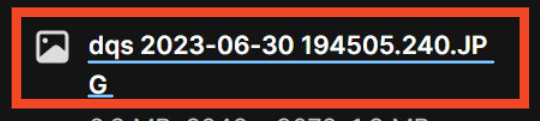
Synology Photos example. Huncode cropped the filename area and underlined it. The sample is a JPEG and illustrates where to check the file identity.
A filename ending in .mov or .mp4 identifies the container format. It may still contain HEVC video. For a playback issue, inspect the file in a player that can report its codec or check the export or camera settings.
Generate a preview from a supported computer
- Check that your installed DSM and Synology Photos releases support Synology Image Assistant. The desktop workflow uses both Synology Image Assistant for desktop and its browser extension, on a computer that can decode the source media.
- Install the desktop utility from the Synology Download Center and install the extension from your browser’s extension store. Launch the utility and enable the extension.
- Open the Synology Photos web portal from that computer. Use one affected HEIC photo or HEVC clip as a sample and check whether its thumbnail or compressed playback becomes available. For a shared album, test from an account allowed to open the original.
- Download the sample original and check it separately in a compatible viewer if web playback still fails. Keep the original while you work on the preview.
Synology Image Assistant can generate image previews and compressed video for supported files. A compressed preview serves browser playback. When you need original quality, download the original or use a device and player that support its codec.
Check the result before repeating the import
| What you see | What to check next |
|---|---|
| The file is absent from the library | Confirm the import destination and whether the item is in Personal Space or Shared Space. |
| The file exists, but its preview is blank | Check the desktop utility, extension, app versions and whether the source can be decoded on that computer. |
| A preview plays, but the original fails on another device | Check that device’s codec support or play the downloaded original on a compatible device. |
| The original fails in a compatible viewer too | Compare it with the retained export copy before retrying preview generation. |
The workflow is based on Synology’s DSM 7.4 Photos specifications and its Knowledge Center guide to HEIC and HEVC playback. The screenshot is from the latter and is used with permission.